Mini Beast shows your print live on your phone and lets you pause it, set temperatures and send the next file. Run it on a Raspberry Pi or in Docker if you have one, or on an old phone in a drawer if you don't. MakerBeast finds why a print failed, gives you settings you can trust and designs the part you need.
Works with Bambu Lab, Creality, Elegoo, Prusa, Flashforge, Klipper and OctoPrint printers.
A small program called Beast Bridge talks to your printer over your own Wi-Fi. It runs on a Raspberry Pi or in Docker if you already have one, but you don't need either: your computer works, and so does an old Android phone with no SIM card. Your phone opens Mini Beast like an app from the home screen, and there's nothing to flash on the printer.
The bridge opens one camera stream and shares it with every phone that's watching, so printers that allow only one viewer keep working.
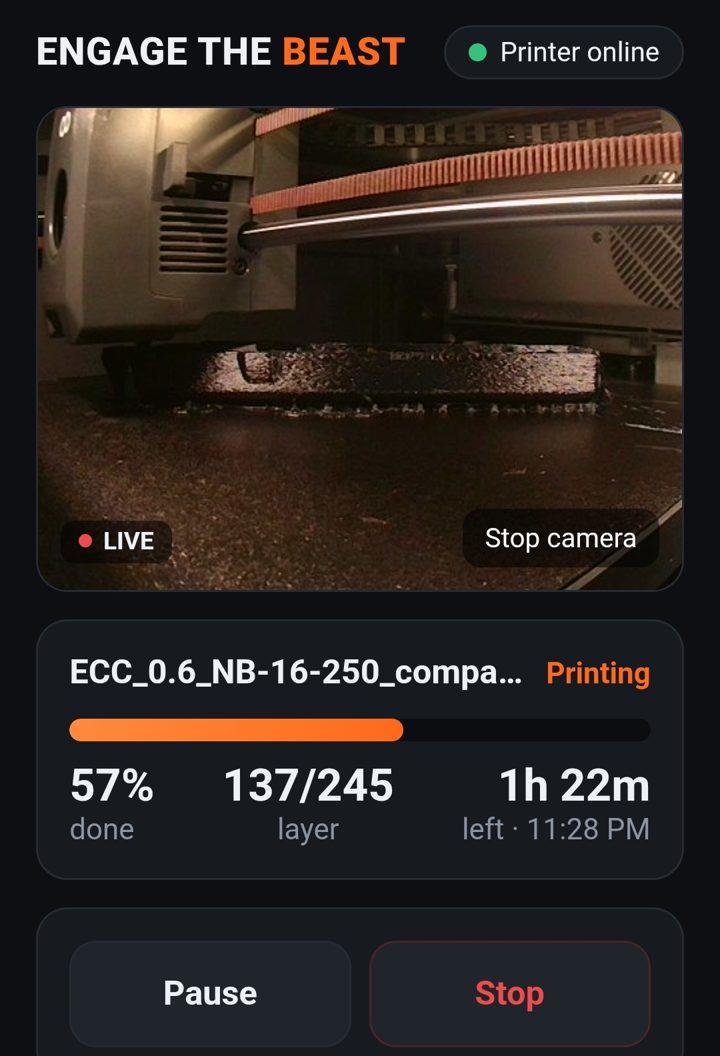
Percent, layer, time left and the clock time it finishes. Alerts when it finishes, pauses or throws an error.
Nozzle and bed, in steps of 5 or 10, or one tap for PLA, PETG, ABS/ASA, PA-CF or TPU. The printer's own limits are enforced.
PETG preset → 240° / 70°
Stop asks first. Speed modes and the chamber light where the printer has them.
Pick a sliced file on your phone and it goes to the printer, starting as soon as it arrives if you want.
Got a Bambu and a Creality? One bridge runs both, with a printer picker at the top.
No Pi? No problem. An old Android phone with no SIM card runs Beast Bridge on Wi-Fi, so it doesn't need a phone plan, and can double as a camera for printers that don't have one. iPhones can't run background servers, so this one is Android only.
Jeff, who built Engage The Beast, after switching his own Centauri Carbon over from the Octo app he used before. The screenshot at the top is from that printer.
Beast Bridge has a driver for each brand's own local connection. Setup searches your network, finds the printer and asks only for the code that brand needs.
Not on the list yet: Anycubic printers on stock firmware and the Centauri Carbon 2. Tell us which printer you have when you join the beta; that decides what's next.
MakerBeast runs in your browser on a computer, tablet or phone. The tools below work today. More are coming, and founding members get them as they land.
Pick what you see, add photos, drop in the G-code. It reads what your printer was actually told to do, then names the one cause behind it.
"Corners lift and it goes soft at layer 488"
Numbers from your filament maker's own profile, checked against your printer, nozzle and dryer, then exported to OrcaSlicer, Bambu Studio or PrusaSlicer.
Describe a part in plain words and get a printable model. Print one test piece and holes come out the size you drew them.
The OrcaSlicer engine with all of its printer and filament presets, sending straight to your printer through Beast Bridge.
Guided calibration for each filament on your own printer: temperature, flow, pressure advance, retraction and max speed. Optional, never forced.
Snap the broken part with a coin for scale, or drop in a scan from Polycam, KIRI, Creality or Revopoint. It fixes the scan and can rebuild it as editable CAD.
MakerBeast plans include Mini Beast. The G-code checker, printer checks, Fit Check, voice, journal, spool tracker and failure library are free and unlimited on every plan; plans set how many AI answers you get each month.
Try the MakerBeast tools.
Your printer on your phone.
Everything in Mini Beast, plus the workbench.
For print farms and makers who sell.
For comparison, failure-diagnosis apps and AI CAD apps each charge about $8–10 a month on their own, and most remote-monitoring add-ons need a Raspberry Pi. Mini Beast can use one, but doesn't have to.
We're adding testers printer by printer. Tell us what you print on and we'll send you the download and setup steps.
You can use either, but you don't need them. Beast Bridge also runs on the Windows, Mac or Linux computer you already have, or on an old Android phone. The phone doesn't even need a SIM card, just your Wi-Fi. Mini Beast itself opens in your phone's browser and installs to the home screen like an app.
No. The bridge talks to your printer over your own Wi-Fi and your phone talks to the bridge, protected by a 6-digit PIN. Watching from away from home is optional and uses a private link you turn on and off.
See the printer list above. Bambu Lab printers need LAN-only Mode and Developer Mode turned on for control. If yours isn't listed, join the beta and tell us the model.
No. MakerBeast will include all of OrcaSlicer's printer and filament presets, and those are the default. Beast Tune is there when you want better prints, never forced.
The MakerBeast tools marked "available now" work today, free to start. Mini Beast is in a free beta. Slicing in the browser, Beast Tune, CAD from a photo and 3D scan import are coming, and founding members get each one as it launches.
Any time, from the Billing button in the app. You keep your plan until the end of the month you paid for.